

Install
- Navigate to the Integrations section from the left navigation bar in Togai
- Click on
Appsto access the list of apps with integration support - Select
Slackfrom the available apps - Click on the
+Add connectionbutton - Provide a name for the connection and paste your:
WWebhook URL
Webhook URL
- Go to the Slack App Developer page
- Click on
Create New Appto create a new app - Provide a name for the app and select the workspace where you want to install the app
- Click on
Create App - Click on
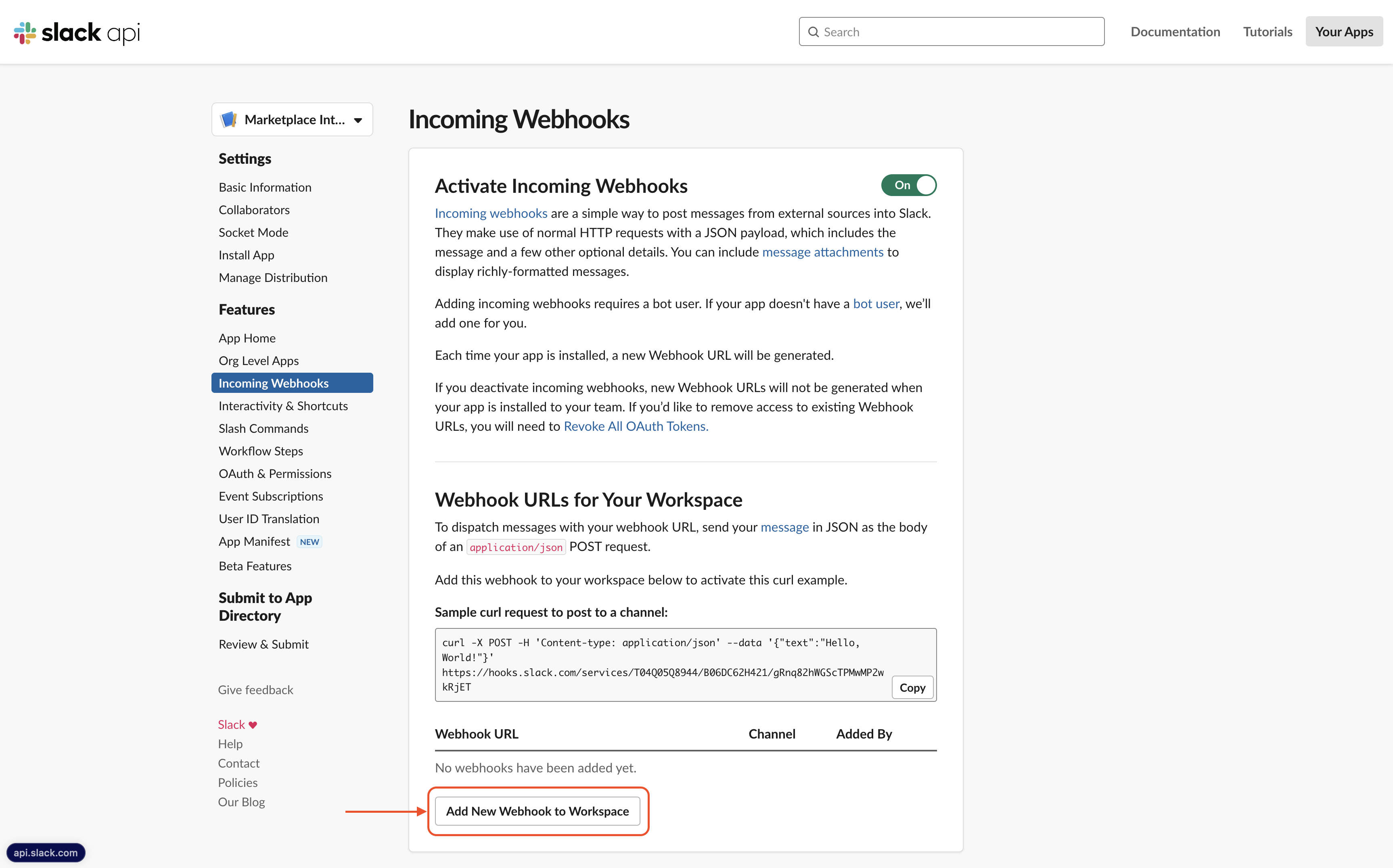
Incoming Webhooksfrom the left navigation bar - Click on the
Activate Incoming Webhookstoggle button - Click on
Add New Webhook to Workspacebutton to add a new webhook - Select the channel where you want to receive the notifications and click on
Allow - Copy the
Webhook URLand paste it in theWebhook URLfield in Togai
Flows
1. Slack notify account created
- Flow is triggered on a new account creation in Togai
- The flow sends a notification to the Slack channel with the account details
2. Slack notify invoice due
- Flow is triggered on an invoice becoming due in Togai
- The flow sends a notification to the Slack channel with the invoice details